How to restore
old photos?
Restore, colorize, and sharpen old photos with Nostify.



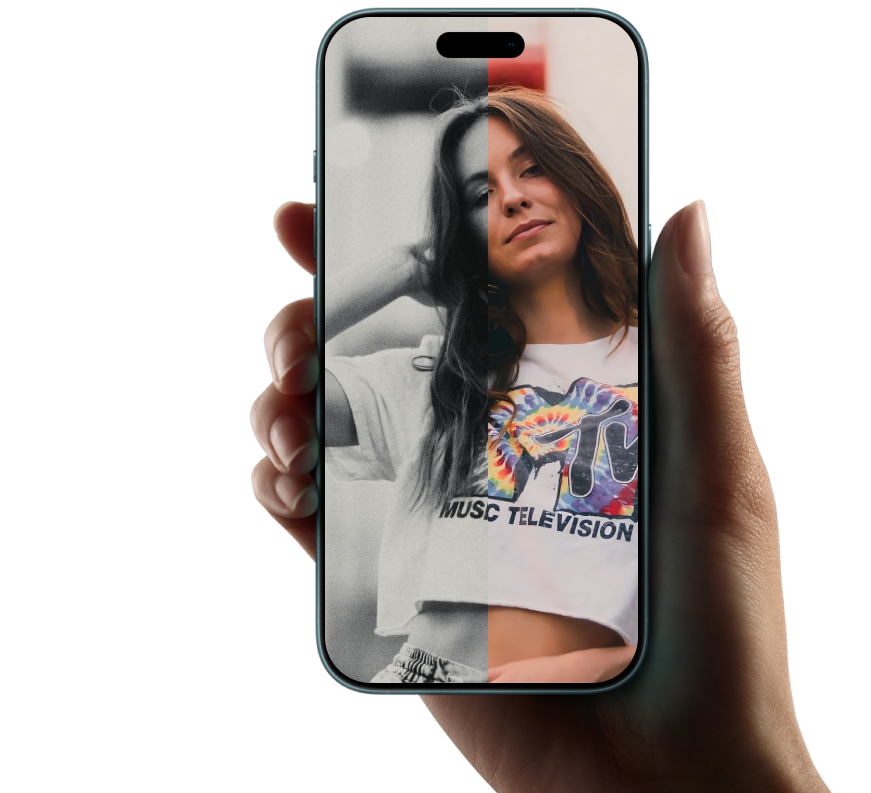

Nostify is an AI photo restoration app that repairs scratches, colorizes old photos, and enhances clarity to HD.
TL;DR: Fix damaged photos in one tap on iOS, iPadOS, and macOS.
Last updated: · By Nostify Team (Photo Restoration Lab)
Data snapshot
- 4.1M+ photos restored
- 12s average restore time
- 93% scratch repair success (QA set: 1,200 photos)
Source: Internal QA, Jan 2026.
Expert note
"We built Nostify to preserve natural texture while removing damage."
With Nostify
revive memories
Remove scratches, restore colors, and enhance to HD.
Super Repair
Scratches, stains, and wear
are fixed automatically.
Colorization
For black-and-white photos,
add natural colors.
HD Enhancement
Sharpen blurry shots
and boost clarity.
Restore
photo


4.8/5
App Store rating

1M+
photos restored

Bring back
colors

Enhance
to HD



60,000+ users
love it
4.86

"I restored a box of 1970s prints in one afternoon. The faces look sharp and natural."

"Colorization is tasteful and not neon. Nostify keeps skin tones realistic."

"My students loved seeing our town photos in HD. The one-tap restore is a lifesaver."

"We scanned hundreds of snapshots for a tribute video. Nostify saved us days."

"Restoring my grandparents' wedding photos brought the details back without looking artificial."

"Batch restore saved hours while digitizing our family album."

"HD Enhance made blurry scans sharp enough for printing."

"The before/after slider made it easy to trust the changes."

"Nostify keeps the original intact, so I felt safe experimenting."

"Fast results - most photos finished in under 15 seconds."
Frequently asked questions
Short answers for quick decisions.
Open Nostify, choose a photo, tap Restore, preview the result, and export the restored image.
Use the Repair tool. Nostify detects damaged areas and rebuilds texture for a cleaner result. You can run it again for stronger repair.
Tap Colorize. Nostify applies natural-looking colors and saves a separate color copy while keeping the original.
Tap HD Enhance to sharpen details, then export in HD. High-resolution scans produce the best results.
Use the before/after slider to inspect changes. You can export either version at any time.
Tap Save or Share to store the photo in your library or send it. The original photo stays unchanged.